Package Scanning
There may be some times that we need to scan packages that are being added to the repo to verify their contents and source. Below are the steps for some of the packages we may need to scan.
package.json
⚠️ IMPORTANT: ⚠️
You will need to be a member of the
bypass-package-lockprotection group to complete this next step.
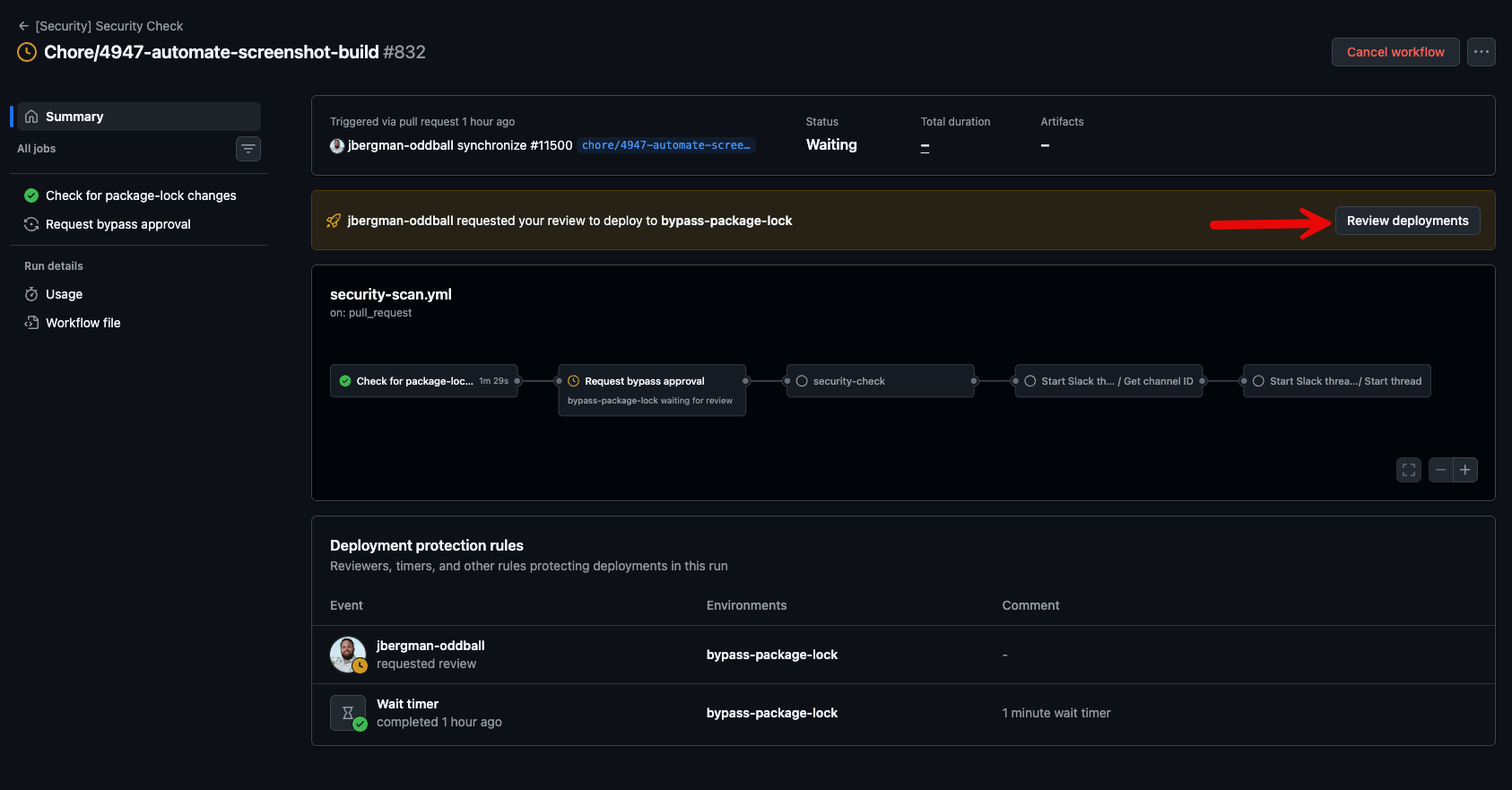
Currently any changes that are made to any package.json files are reviewed before a merge is to happen. Upon approval, the rest of the scanning will complete. If the security-scan workflow detects a package.json change, it will pass the workflow to the bypass-package-lock environment check. When this happens, a team is alerted that a package needs to be reviewed.
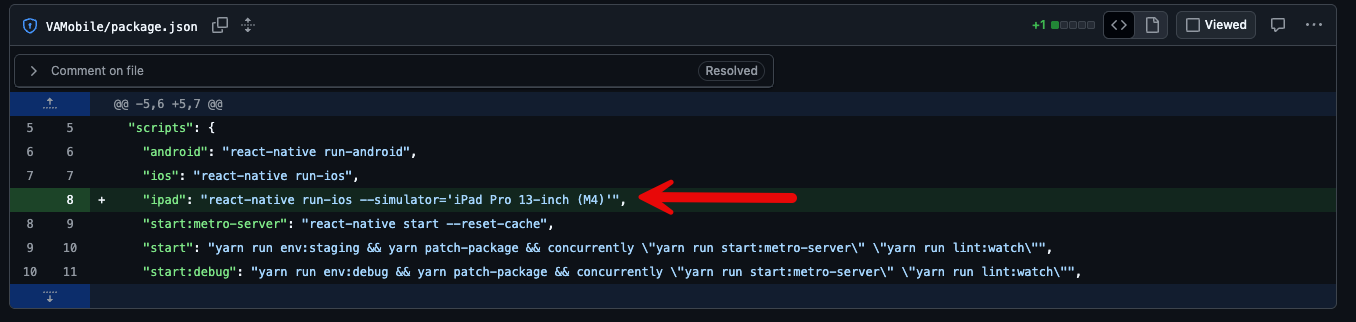
When this scan runs, it will check the most recent version of package.json for any changes. If changes are detected, it will print these changes in the action summary. It will then take these changes and run them through npm info to verify all the data is correct. It will then pass them through guarddog. This will check for any vulnerabilities. Once the scanning is complete and the changes are approved, a label will be applied to the PR stating the checks are complete. This will stop unnecessary secondary scans. If the package.json is updated again, it will remove the label, and it will trigger the entire process again. If the scan detects anything that is not a package update, it will pass the check automatically. (Below is an example of a script change that will pass this check)
npm info
The package will be checked against the npm listing for it. For this we can use npm info.
npm info @testing-library/jest-dom

@testing-library/jest-dom@6.9.1 | MIT | deps: 6 | versions: 82
Custom jest matchers to test the state of the DOM
https://github.com/testing-library/jest-dom#readme

keywords: testing, dom, jest, jsdom

dist
.tarball: https://registry.npmjs.org/@testing-library/jest-dom/-/jest-dom-6.9.1.tgz
.shasum: 7613a04e146dd2976d24ddf019730d57a89d56c2
.integrity: sha512-zIcONa+hVtVSSep9UT3jZ5rizo2BsxgyDYU7WFD5eICBE7no3881HGeb/QkGfsJs6JTkY1aQhT7rIPC7e+0nnA==
.unpackedSize: 300.9 kB

dependencies:
@adobe/css-tools: ^4.4.0      aria-query: ^5.0.0            css.escape: ^1.5.1            dom-accessibility-api: ^0.6.3 picocolors: ^1.1.1            redent: ^3.0.0

maintainers:
- testing-library-bot <testinglibraryoss@gmail.com>
- kentcdodds <me@kentcdodds.com>
- timdeschryver <timdeschryver@outlook.com>
- patrickhulce <patrick.hulce@gmail.com>
- dfcook <dfcook@hotmail.com>
- gpx <polvara@gmail.com>
- mpeyper <mpeyper7@gmail.com>
- mihar-22 <rahim.alwer@gmail.com>
- pago <patrick.gotthardt@trivago.com>
- cmckinstry <carson.mckinstry@gmail.com>
- thymikee <thymikee@gmail.com>
- brrianalexis <brrianalexis.dev@gmail.com>
- jdecroock <decroockjovi@gmail.com>
- mdjastrzebski <mdjastrzebski@gmail.com>
- eps1lon <silbermann.sebastian@gmail.com>
- phryneas <mail@lenzw.de>
- matanbobi <matanbobi@gmail.com>

dist-tags:
beta: 5.7.0-beta.1  latest: 6.9.1

published 4 months ago by testing-library-bot <testinglibraryoss@gmail.com>
Guarddog Scan
After the npm info check we run a python package called guarddog. guarddog is maintained by DataDog and it checks for malicious packages. GitHub Link. To make this easy I have installed uv which is a python package and project manager. Instead of installing python packages, I leverage uvx which runs the package on-demand. I have created an alias called check that will run the package scan and output the results. Installation Documentation for uv can be found here
check is an alias for uvx guarddog npm scan

check @testing-library/jest-dom
Installed 79 packages in 166ms

Found 0 potentially malicious indicators scanning @testing-library/jest-dom
Results
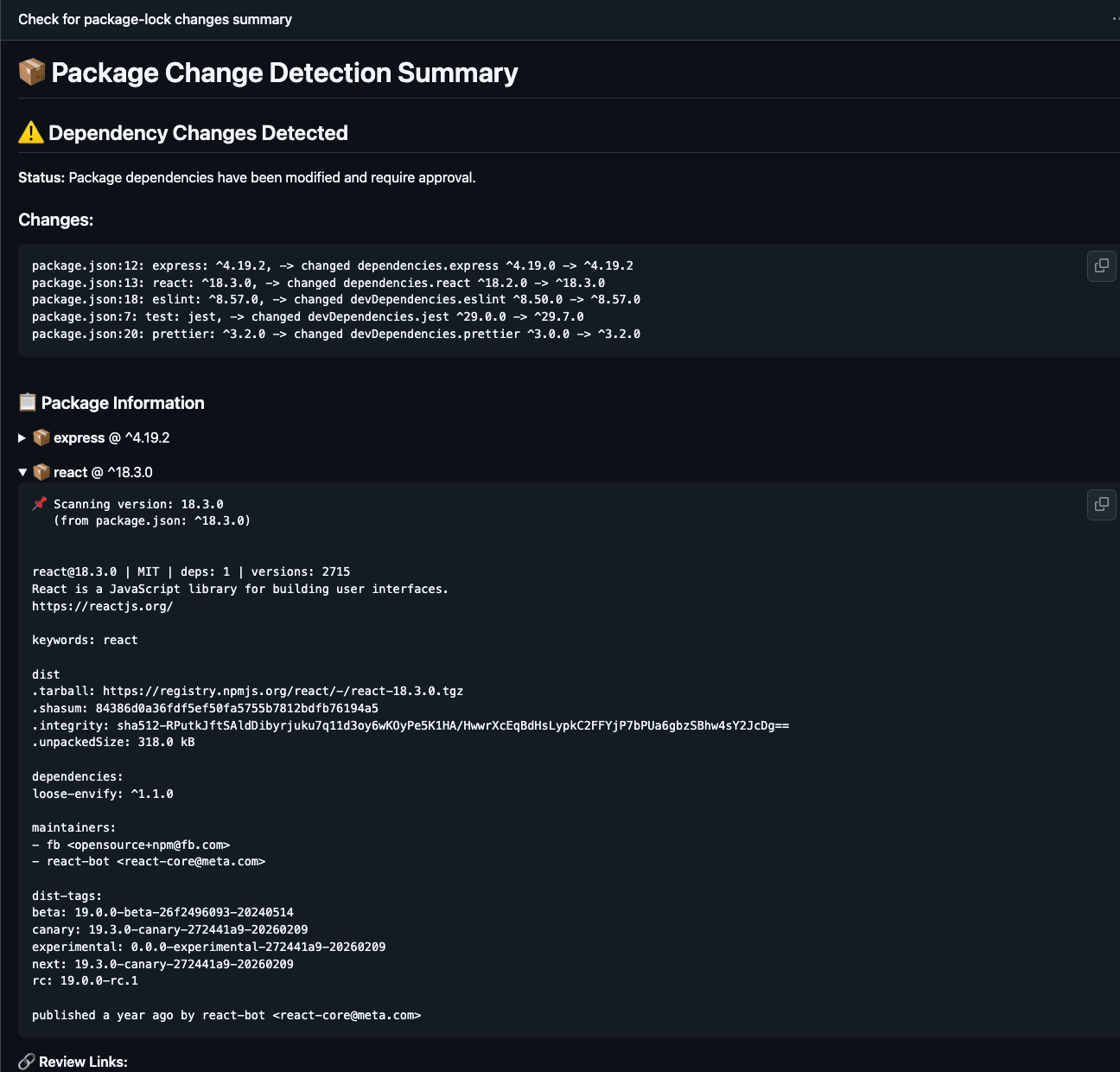
The results of all the scans will be printed to the summary of the action. The same info will also be added to a slack thread in a more truncated form with links to the workflow. The below image is a snippet of the summary of the action workflow with package scanning.
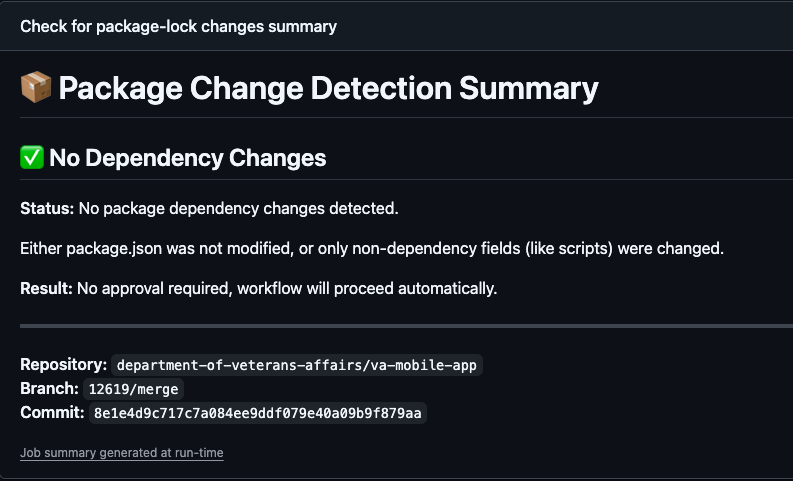
This image shows that the job ran, but there was no scanning completed.
When you are ready to approve or deny the change, head over to the Actions page of the repo.
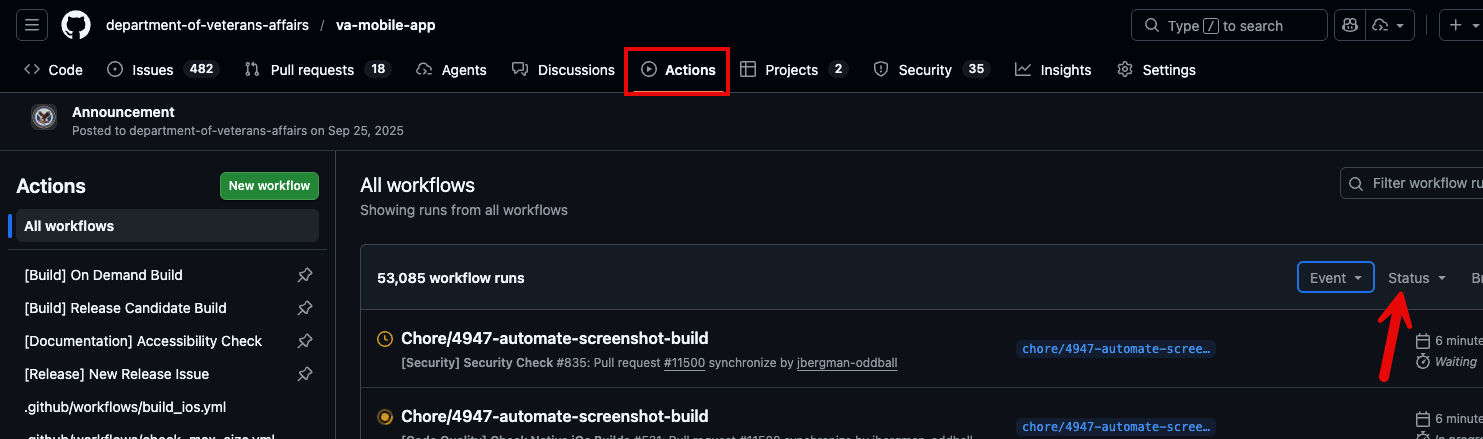
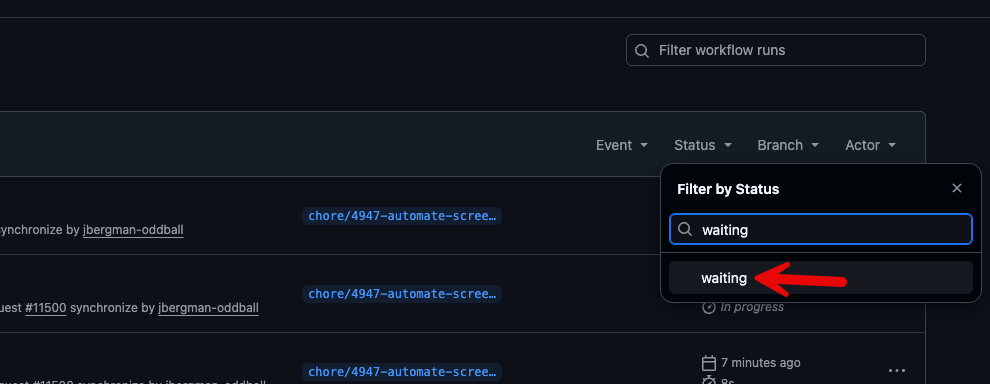
Click on the Status option and type in waiting.
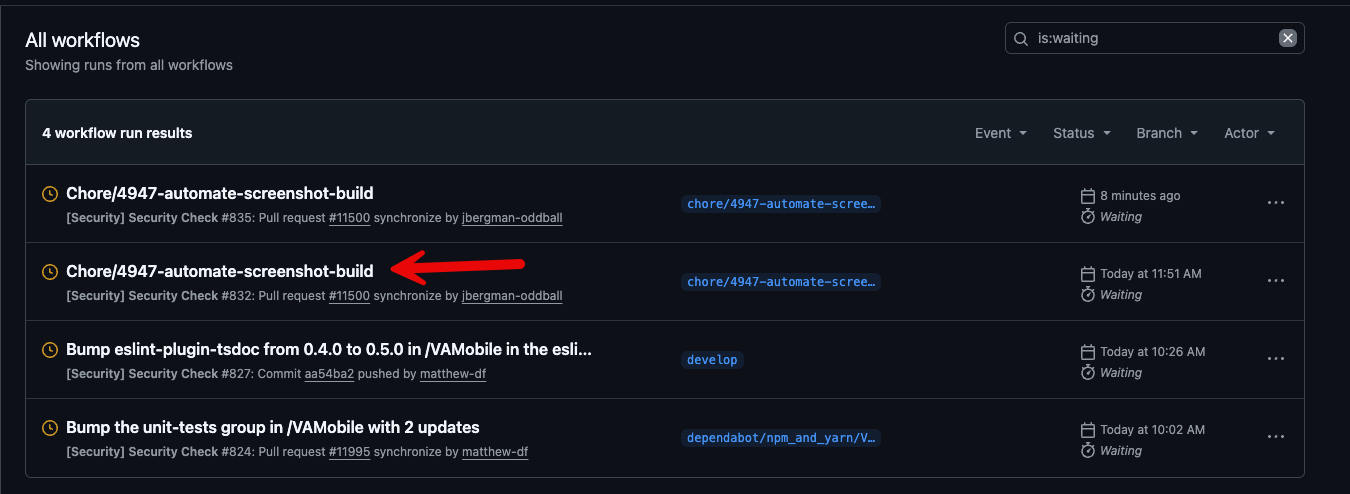
Locate the run in question (In this case we will use screenshot update) and click on it.
On the Review Deployments window you will see the job waiting. Click on Review deployments.
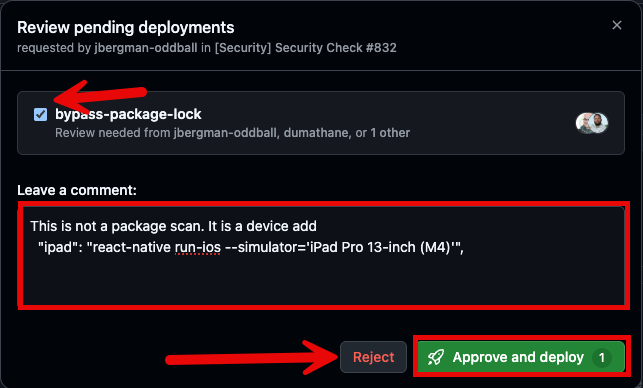
In the Review Deployment Modal, make sure you are in the group, check the bypass-package-lock box and enter the reasoning for deployment. If it is approved, click Approve and Deploy. If it is denied, click reject