Statsd metrics
You can create custom Mobile metrics within Vets API by adding new statsd entries to modules/mobile/config/initializers/statsd.rb.
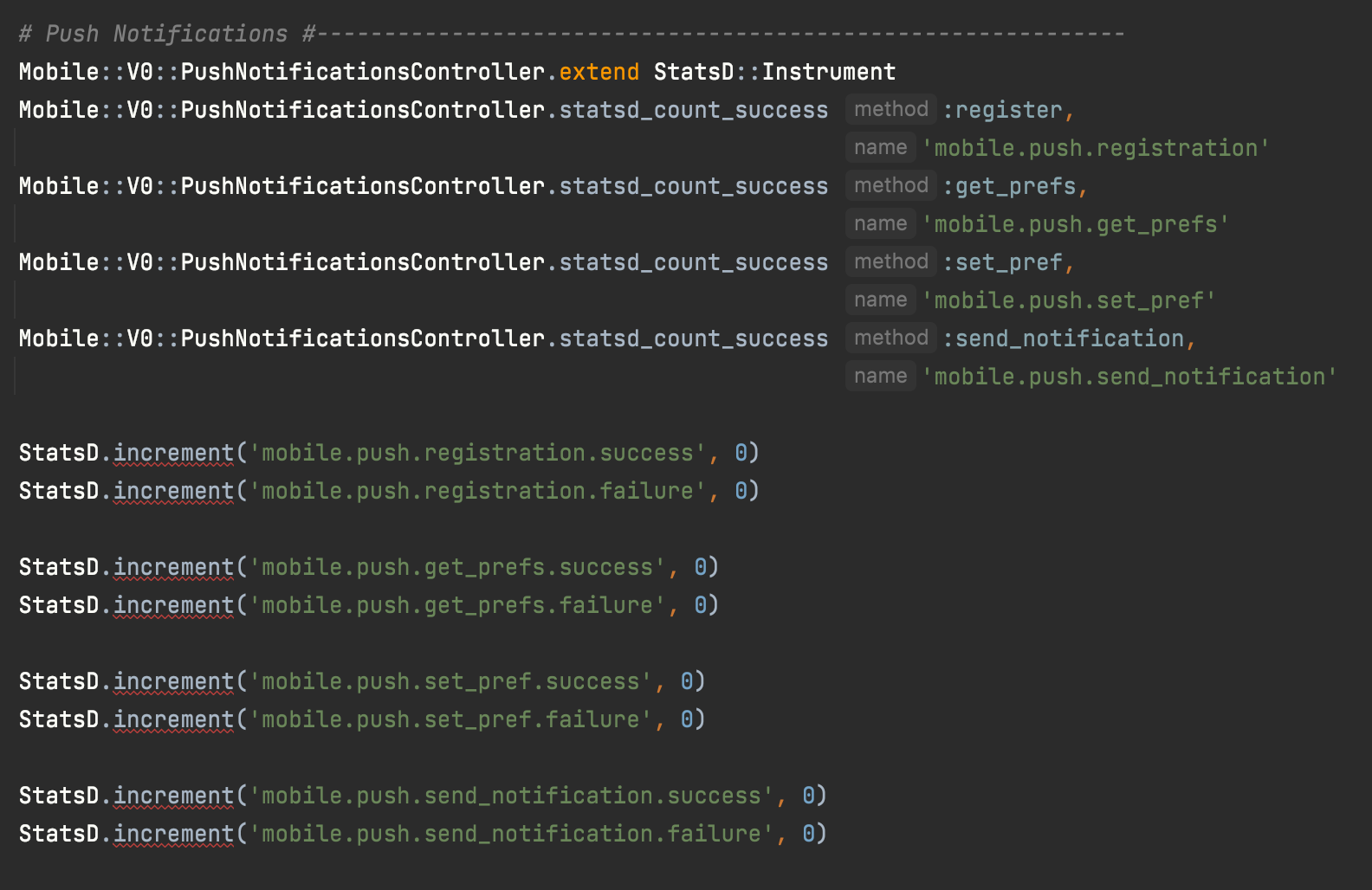
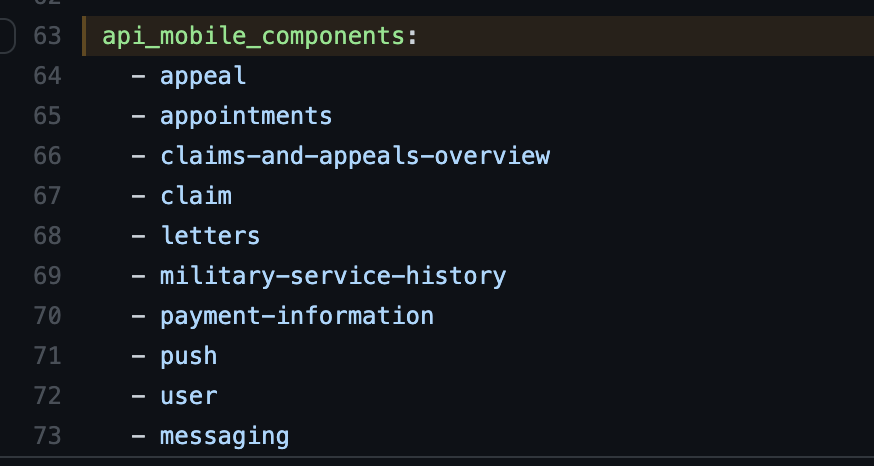
Read more about Statsd. In order for metrics to be picked up an entry for the associated endpoint must also be in ansible/deployment/config/revproxy-vagov/vars/nginx_components.yml in the DevOps repo
Cardinality
When adding StatsD metrics, keep metric tags low-cardinality, meaning the tag should have a small, bounded set of possible values (e.g., status codes, form types, regions). Tagging metrics with high-cardinality values like claim_id, user_id, or request_id creates a new time series for every unique value, causing the metrics database to grow unboundedly and dashboards to time out.
Use metrics for aggregation, logs for details:
# Good: low-cardinality tags only
StatsD.increment('mobile.claim.submitted', tags: ["status:#{claim.status}"])

# Bad: high-cardinality tag creates unbounded time series
StatsD.increment('mobile.claim.submitted', tags: ["claim_id:#{claim.id}"])

# Instead, log the high-cardinality data
Rails.logger.info('Claim submitted', claim_id: claim.id, status: claim.status)
For a detailed explanation with real examples from vets-api, see the Watchtower SRE playbook: Metrics vs Logs Cardinality