
 GitHub Handbook
Access to GHEC-US is available from both VA and non-VA managed devices now! Users will need to use their VA user account to access GHEC-US. The following access request does require you to be on a VA managed device (virtual or physical).
GitHub Enterprise Cloud - US (GHEC-US)
ATTENTION: These instructions are for the GHEC-US enterprise, which contains the
https://va.ghe.com/softwareorganization. GHEC-US is the US-based instance of GitHub Enterprise Cloud the VA is migrating to. If you are looking for the GHEC enterprise, which contains thehttps://github.com/department-of-veterans-affairsorganization, please refer to the GitHub Enterprise Cloud Access Guide.
GHEC-US uses Single Sign-On to manage access to the instance. Users must have a PIV and a @va.gov email address to
onboard.
Access is managed via a Self-Service Onboarding request. To onboard, simply navigate to
Entra ID Apps and login with your @va.gov email address. Once on the page select
Add Apps at the top of the page and select Request new Apps in the dropdown.
On the next page, search for GitHub and select Add on the GitHub Enterprise Managed User (OIDC) app. For the
justification, provide the reason source control for your need to access GHEC-US. Once submitted, the request will be
automatically approved.
A missing or lengthy justification can result in an error when submitting the request. If you encounter an error, be sure you are using the recommended justification of
source control.
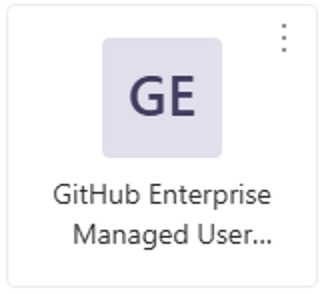
You may see other GitHub apps listed here. Make sure you choose the
GitHub Enterprise Managed User (OIDC)app for GHEC-US access.Ordinarily you would be able to launch an Entra App directly from the Entra portal, however this is not currently working correctly for the GHEC-US app. We are investigating.
Account provisioning occurs every 40 minutes. Once your account is provisioned (you will not receive an email), you may
login to the GHEC-US enterprise through your @va.gov Entra ID account.
Once provisioned, you will be added to the software organization. This is our default organization where software development should occur.
Troubleshooting access
“Unsuccessful OIDC authorization, no access to Enterprise”
This error occurs when you try to SSO before Entra ID has provisioned a GHEC-US user account for you. You have either not completed an access request or waited long enough for your account to be provisioned.
“App launch failed”
This error occurs when you try to launch GHEC-US through Entra ID Apps. Due to a known limitation with Entra ID and OIDC published apps, you just need to directly visit GHEC-US in your web browser.
“Set up your device” when accessing GHEC-US from a non-VA managed device
This error may occur when you have conflicting BYOD access. Please submit a
General Incident Report
on YourIT. In the Tell us more... section ask for the ticket to be routed to IO.SS.AS.EntraID.Engineering, select
Category : Software, and Subcategory : ActiveDirectory.